

Your WooCommerce store may have hundreds of products, beautiful images, detailed descriptions, and a lot of useful information.
But there is a problem. A shopper may never find your product by searching the way they used to.
Instead of typing a few keywords into Google, they can now ask ChatGPT, Perplexity, Google AI Overviews, or other AI-powered search experiences:
“Best running show in chicago that I can win a marathon?”
The shopper is no longer just looking for ten blue links. They are asking for an answer.
And this is where Generative Engine Optimization (GEO) for WooCommerce starts becoming important.
GEO is about making your product information easier for AI-powered search systems to understand, connect with a user’s question, and potentially include in an answer.
The idea is not to replace traditional SEO but to make your store’s information useful for the new search experiences appearing alongside it.
But let me tell you something important before you start installing five different GEO plugins
You Don’t Need to Turn Your WooCommerce Store into a Complicated AI Project
Start with the fundamentals.
- Make your product data clear.
- Make your structured data accurate.
- Make your important pages accessible.
- Write content that actually answers buying questions.
And for many WooCommerce store owners, the Rank Math plugin can handle a big part of that foundation without forcing you to learn everything from scratch.
Let’s break it down.
What is GEO for WooCommerce?
Think about how traditional SEO works.
You optimize a product page around relevant keywords, improve the title and content, build links, and try to appear higher in Google’s search results.
GEO takes a slightly different approach.
The goal is to make your product information understandable enough for AI-powered search systems to use when generating answers.
That means your product shouldn’t simply say:
“Premium quality shoes with the latest technology.”
That’s vague. Instead, it should clearly explain:
- What the product is
- Who it is designed for
- What problem it solves
- Its important features
- Available sizes or variations
- Price and availability
- Brand and SKU information
- How it compares with alternatives
- Where and when it makes sense to use
This is the foundation of WooCommerce Generative Engine Optimization.
Your product page becomes easier to understand because the information isn’t hidden behind vague marketing language.
And that’s the belief I want you to take away from this article:
AI visibility starts with clarity, not tricks.
You don’t need to somehow “hack” ChatGPT into recommending your products. You need to give search systems enough useful, consistent information to understand what you sell.
Why Does WooCommerce GEO Matter?

Here’s where things become interesting. Traditional search often starts with a keyword. AI search can start with a complete question.
Someone might search: “Best affordable running shoes for beginners.”
But they might also ask: “I’m starting to run three times a week. Which affordable shoes would give me enough cushioning without spending too much?”
Those are very different searches. The second question contains context, intent, preferences, and a buying situation.
AI-powered search systems need to understand the relationship between all of those details before they can produce a useful answer.
That’s why GEO for WooCommerce is not simply about putting “best product” keywords into your descriptions. It is about creating product information that provides enough context.
Your Product Page Needs More Than a Product Name

Imagine two product pages.
The first says:
“Premium backpack. High quality. Buy now.”
The second explains:
“This 25L waterproof backpack is designed for students and commuters who carry a laptop, books, and everyday accessories. It includes a padded laptop compartment, multiple internal pockets, and water-resistant material for everyday travel.”
Which one gives an AI system more information to work with?
Obviously, the second one.
And there’s another benefit. The second description is also more useful for a human shopper. That’s why I don’t think you should treat GEO as something completely separate from good ecommerce SEO.
Good GEO often starts with good product information.
GEO vs Traditional SEO: What’s Actually Changing?
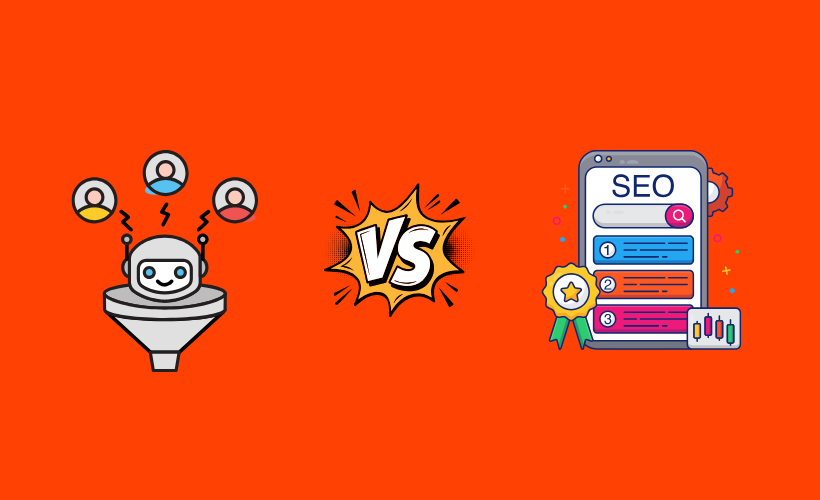
Traditional SEO isn’t disappearing. Your WooCommerce store still needs:
- Search-friendly titles
- Useful product descriptions
- Internal links
- Fast pages
- Mobile-friendly design
- Quality backlinks
- Good technical SEO
- Structured data
But the search experience is changing. Instead of simply returning pages, AI systems can summarize information from multiple sources and provide a conversational response.
So your objective expands from:
“How do I rank for this keyword?”
to:
“Does my website clearly explain what this product is, who it is for, and why it is relevant?”
That doesn’t mean keywords are useless. It means keywords are no longer the entire strategy.
How to Optimize Your WooCommerce Store for AI Search

Now let’s get practical. You don’t need to rebuild your entire store. Start with these steps.
1. Give Your Products Complete Structured Data
This is one of the easiest places to start. Your WooCommerce product already contains important information such as:
- Product name
- Price
- SKU
- Availability
- Brand
- Product variations
- Reviews
- Ratings
Structured data helps search engines understand that information in a standardized format.
Rank Math’s WooCommerce integration can pull product information from WooCommerce and use it for Product Schema. It also provides controls for product-related fields such as SKU, price, availability, brand, and product variations.
This matters because you don’t want your product information to exist only as visually formatted text on the page.
You want the important information to be clearly represented in your site’s structured data as well. And this is where many store owners overcomplicate things.
You don’t necessarily need to manually write JSON-LD code for every product. A good SEO plugin can handle much of the technical work.
2. Don’t Block Search Crawlers

You can have the best product pages in the world. But if important crawlers can’t access them, your content has a problem.
Check your robots.txt configuration and make sure you’re not accidentally blocking important product pages or sections of your store.
Also check whether your products are accessible through normal internal links. Don’t create a situation where your product exists in WooCommerce but is practically hidden from discovery.
3. Write Product Descriptions Like a Helpful Salesperson

This is probably the most important part. A product description shouldn’t sound like this:
“Premium. Powerful. Innovative. Best-in-class solution for modern users.”
That’s marketing language without much information. Instead, explain the product naturally. Tell the shopper:
- What it does
- Who should use it
- What makes it different
- What problem it solves
- What is included
- What isn’t included
- Which situation it is best for
For example, instead of saying:
“Advanced analytics for growing businesses.”
Say:
“This website analytics tool helps WooCommerce store owners see where visitors leave their checkout, watch session recordings, and identify pages where shoppers stop engaging.”
Now there is context. A human understands it. An AI system has more useful information to work with. That’s exactly the type of thinking you need for generative engine optimization for WooCommerce.
4. Answer the Questions Behind the Purchase

This is where your product pages can become much stronger. People don’t only ask:
“What is this product?”
They ask:
- Is this suitable for me?
- Does it work with my setup?
- What’s the difference between these two versions?
- Is it worth paying more?
- Can I use it for my business?
- Does it support this feature?
These questions reveal buying intent.
So add FAQs, comparison information, use cases, compatibility details, and clear specifications where they genuinely help. Don’t create FAQ sections just because you heard that FAQs are good for SEO.
Create them because shoppers actually need those answers.
5. Make Your Product Images Understandable Too

Images are important for ecommerce, but don’t treat them as decoration only. Use descriptive image filenames and useful alt text.
Show important product details visually where appropriate.
- If you sell software, screenshots can show the interface.
- If you sell physical products, images can demonstrate size, features, materials, variations, and use cases.
The goal is simple: Don’t make important product information exist only in one format. Give people and machines multiple ways to understand what you’re selling.
6. Keep Your Product Information Consistent

Here’s something that is easy to overlook. Imagine your product page says:
“Supports 50 users.”
Your pricing page says:
“Supports 25 users.”
And an old comparison article says:
“Supports 10 users.”
Now you have a trust problem. AI systems aren’t the only ones that can get confused. Your customers will too.
Keep important information consistent across:
- Product pages
- Category pages
- Pricing pages
- Comparison pages
- Documentation
- Blog posts
- Third-party profiles
The clearer your information ecosystem is, the easier it becomes to understand your business.
Tools to Help With WooCommerce GEO
You don’t need every tool below. In fact, I wouldn’t recommend installing several schema plugins at the same time.
Choose the tool that fits your current setup and avoid creating duplicate structured data. Here are some options worth considering.
1. Rank Math SEO – Best All-in-One Choice
Rank Math SEO is my first choice if you want one SEO plugin to build the foundation of your WooCommerce store.
It includes a Schema Generator and WooCommerce-specific Product Schema functionality. Rank Math can pull information from your WooCommerce product and use it within the Product Schema, including details such as product name, SKU, price, availability, brand, and variations.
The biggest advantage isn’t that Rank Math is some magical GEO button. It isn’t.
The advantage is that it helps you get the fundamentals right without forcing you to manually build structured data for every product. And honestly, that’s where I would start.
Why I like it:
- WooCommerce Product Schema support
- Built-in Schema Generator
- Product information can be pulled from WooCommerce
- Supports product variations and related data
- Free version available
- Useful for broader WordPress SEO beyond GEO
If you’re a small or growing WooCommerce store, you probably don’t need a separate AI optimization stack just to get started. Get the foundation right first.
2. Schema Engine AI – Best for Automated Schema Optimization
Schema Engine AI is aimed more directly at automated schema generation and optimization, with a focus on modern AEO and GEO workflows.
It can be interesting if structured data automation is the main thing you’re looking for. But remember the bigger picture.
- Schema is only one part of your WooCommerce GEO strategy.
A perfectly generated schema cannot fix a product page with thin descriptions, missing information, poor internal linking, or unclear positioning.
3. All in One SEO – Best Beginner-Friendly Alternative
All in One SEO is another strong option if you want an SEO plugin that combines broader store optimization with structured data features.
It’s particularly useful for beginners who want a guided SEO experience without managing several separate plugins.
If you’re already comfortable with AIOSEO, there isn’t a strong reason to switch simply because GEO is becoming popular. The important thing is having a clean implementation.
4. Yoast SEO + WooCommerce SEO – Best for Existing Yoast Users
Yoast SEO is another established option for WooCommerce stores.
If you’re already using Yoast and your structured data is working correctly, you don’t need to abandon your current setup just because you’re starting to think about GEO.
The goal is better product information and discoverability, not collecting SEO plugins.
5. Schema Pro – Best Dedicated Schema Option
Schema Pro is worth considering if your main requirement is dedicated schema management rather than a complete SEO suite.
It can make sense for store owners who prefer keeping structured data separate from their primary SEO plugin. But for most WooCommerce beginners, I would rather keep the setup simple.
6. SEOPress PRO – Strong Schema Alternative
SEOPress PRO provides built-in schema functionality and supports product-related structured data along with other schema types.
It’s another reasonable choice if you’re already using SEOPress or prefer its approach to WordPress SEO. Again, don’t install it alongside another SEO plugin simply to “add more GEO.” One clean setup is better than several overlapping systems.
Why I Would Start With Rank Math
Now I will get you to the part that matters. There are plenty of tools promising to help businesses with AI search visibility.
- Some will analyze prompts.
- Some will track mentions.
- Some will generate schema.
- Some will give you a GEO score.
Those tools can be useful later. But I wouldn’t start there. Start with the website itself. Your WooCommerce store is the source of the information.
If the product page is unclear, an AI visibility tool can tell you that you’re not being mentioned. It doesn’t automatically solve the underlying problem.
That’s why Rank Math makes sense as a starting point. You can use it to establish the technical SEO and structured-data foundation while you improve the actual content of your products.
Rank Math’s documentation specifically supports WooCommerce Product Schema and gives you controls for reviewing and customizing that markup.
And there’s something else I like about this approach. You don’t have to think about GEO as a completely separate project.
You are improving your store once and making that information useful across multiple discovery systems.
- Google can understand it.
- Search engines can understand it.
- Customers can understand it.
And AI-powered search systems have better information to work with. That’s a much better long-term strategy than chasing every new AI platform.
A Simple WooCommerce GEO Workflow
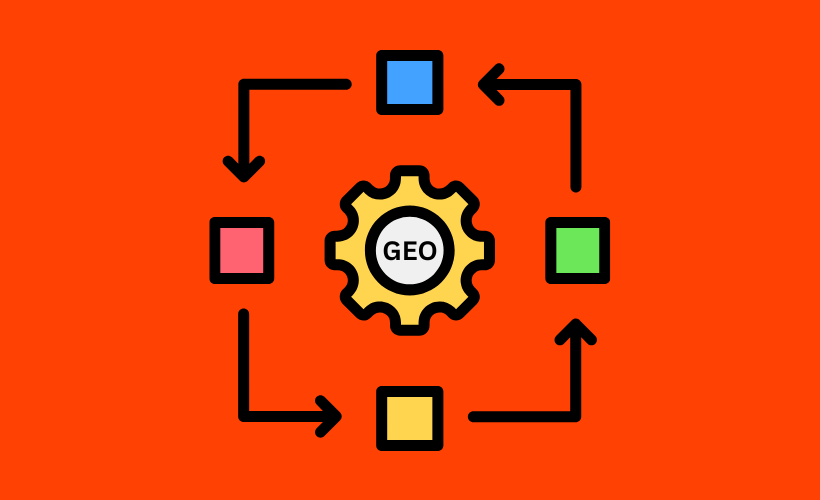
If you’re wondering where to start, don’t make this complicated. Use this process:
- Step 1 – Fix your product information: Make sure your titles, descriptions, prices, SKUs, variations, availability, and specifications are accurate.
- Step 2 – Improve the actual content: Explain who the product is for, what problem it solves, and when someone should choose it.
- Step 3 – Add structured data: Use a reliable SEO/schema solution such as Rank Math to make your product information machine-readable.
- Step 4 – Check accessibility: Make sure important product pages aren’t accidentally blocked and can be discovered through your site’s internal links.
- Step 5 – Build supporting content: Create comparisons, buying guides, use-case pages, FAQs, and other helpful content around your products.
- Step 6 – Monitor AI visibility later: Once the foundation is strong, you can start monitoring whether AI search platforms are mentioning your products and where your competitors are appearing.
This order matters. Don’t start with monitoring. Start with making your website worth understanding.
The Biggest Mistake WooCommerce Owners Can Make With GEO

I see one mistake coming up very easily. A store owner hears about AI search and immediately thinks:
“I need another AI tool.”
Maybe you do. But maybe you don’t.
If your product descriptions are weak, your structured data is incomplete, your product information is inconsistent, and your pages aren’t clearly explaining what you sell, another dashboard isn’t going to solve the real problem.
That’s why I would take a step back. Before paying for another GEO platform, open your top five product pages. Read them as if you were an AI assistant trying to answer a customer’s question.
Could you clearly explain:
- What is this product?
- Who is it for?
- What problem does it solve?
- What makes it different?
- How much does it cost?
- What are its important specifications?
- When should someone choose it?
- When should someone choose something else?
If the answer is no, start there.
Conclusion
The future of ecommerce search isn’t only about ranking a product page for a keyword. People are increasingly asking complete questions and expecting complete answers.
That means your WooCommerce store needs to become easier to understand.
- Clear content.
- Structured data.
- Useful product information.
- Accessible pages.
That’s the foundation. And this is why I don’t think you need to rush into a complicated GEO setup. Start with what you already have.
If you’re running WordPress and WooCommerce, Rank Math is a practical place to begin because it gives you WooCommerce Product Schema, a Schema Generator, and broader SEO functionality in the same system.
- Then improve your product content.
- Then build useful supporting pages.
- Then monitor how AI search platforms represent your business.
That’s a much more sustainable approach to generative engine optimization for WooCommerce. Because at the end of the day, GEO isn’t about trying to trick an AI into mentioning your product.
It’s about making your product so clearly described, properly structured, and genuinely useful that when an AI system looks for an answer, your website gives it something worth using.
** FAQs **
1. Do I need a separate GEO plugin for my WooCommerce store?
Not necessarily. Start by improving your product information, structured data, accessibility, and supporting content. A plugin such as Rank Math can already handle important SEO and WooCommerce Product Schema requirements, so you can build a solid foundation before adding specialized GEO software.
2. Can Rank Math help with WooCommerce GEO?
Yes, it can help with the technical foundation. Rank Math supports WooCommerce Product Schema and can pull information such as product name, SKU, price, availability, brand, and variation information from WooCommerce.
3. Is schema markup enough for GEO?
No. Schema is useful, but it isn’t the whole strategy. Your product descriptions, specifications, use cases, internal links, accessibility, and overall content quality still matter. Think of schema as helping machines understand your information, not as a shortcut to AI recommendations.
4. Should I rewrite every WooCommerce product description for GEO?
You don’t need to rewrite everything at once. Start with your most important products and improve the pages that already receive traffic, generate sales, or represent your main products. Make those pages clearer before moving through the rest of your catalog.
5. Should I buy an AI visibility tool immediately?
I wouldn’t rush. First, make your website understandable and technically sound. Once your foundation is in place, an AI visibility tool becomes much more useful because you can identify where your products are mentioned, where competitors appear, and what you need to improve next.